Installation guide
Install IPTV on Firestick, Smart TV, and the rest of the house.
Pick your device first. The steps below are the ones we use on WhatsApp. IPTV Smarters is the player on most screens. A Formuler box uses MYTV Online. The username, password, and server address arrive from TooViewers after you order.
Before you start
- A device from the compatibility list.
- A stable connection of at least 16 Mbps. Ethernet if the television can take it.
- The welcome message from WhatsApp or 4kiptvteams@gmail.com. Keep it open. You will paste from it.
- About ten quiet minutes. If you would rather be talked through it, ask for setup help.
Paid orders are typically ready within 30 minutes to 12 hours. If the message has not arrived, wait. Opening an empty app will not speed the activation.
Sign in with Xtream Codes
This is the login we recommend. Catch-up is available this way, and the guide loads without a separate EPG address. Use the name TooViewers in the first box so you can tell this account from any old one.
- Open IPTV Smarters. Accept the terms if this is the first launch.
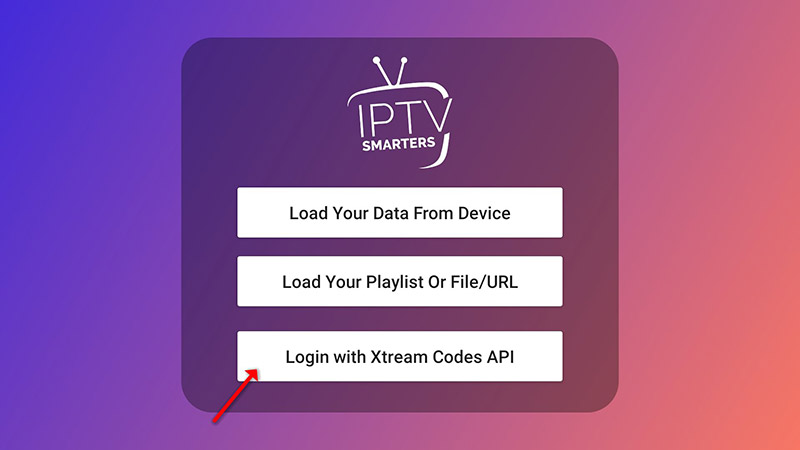
- Tap Add user, then Login with Xtream Codes API.
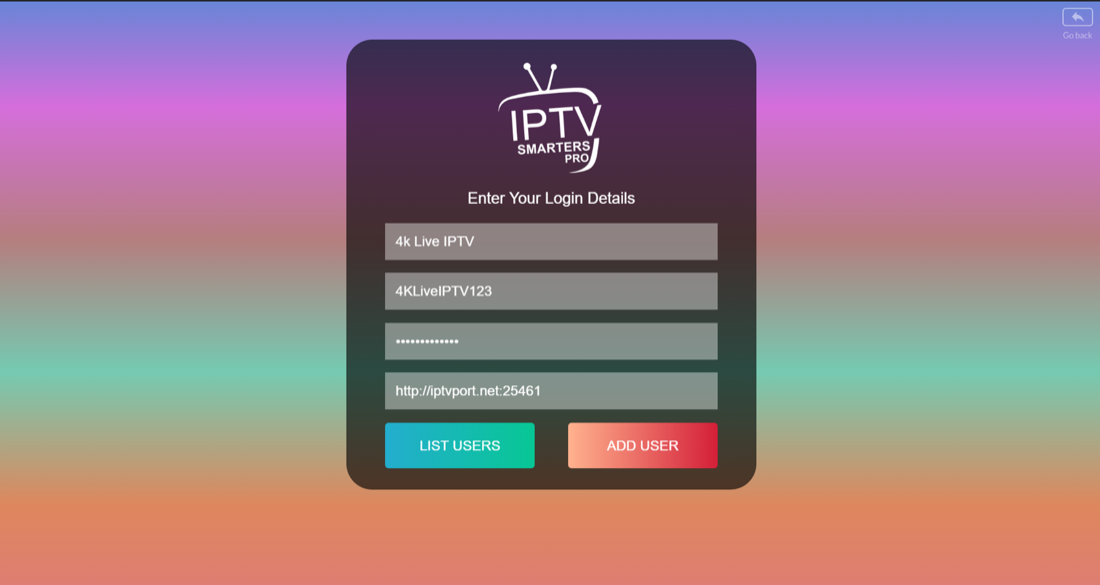
- Any name in the first box. Then the username, the password, and the server URL from your TooViewers message. Tap Add user.
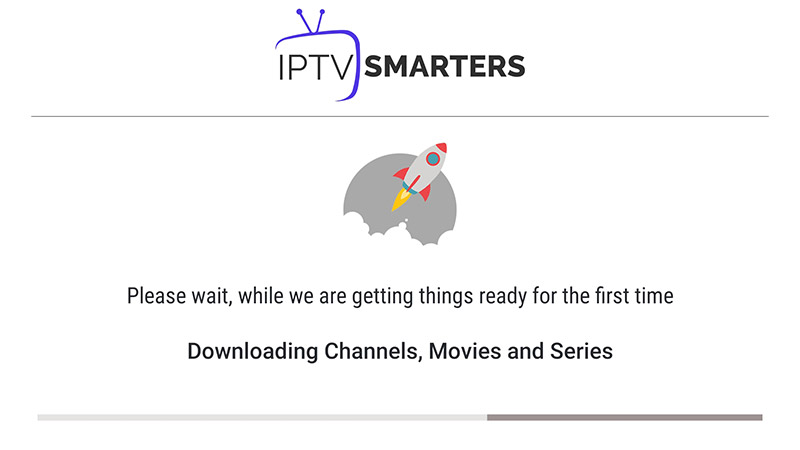
- Wait for the account to finish loading.
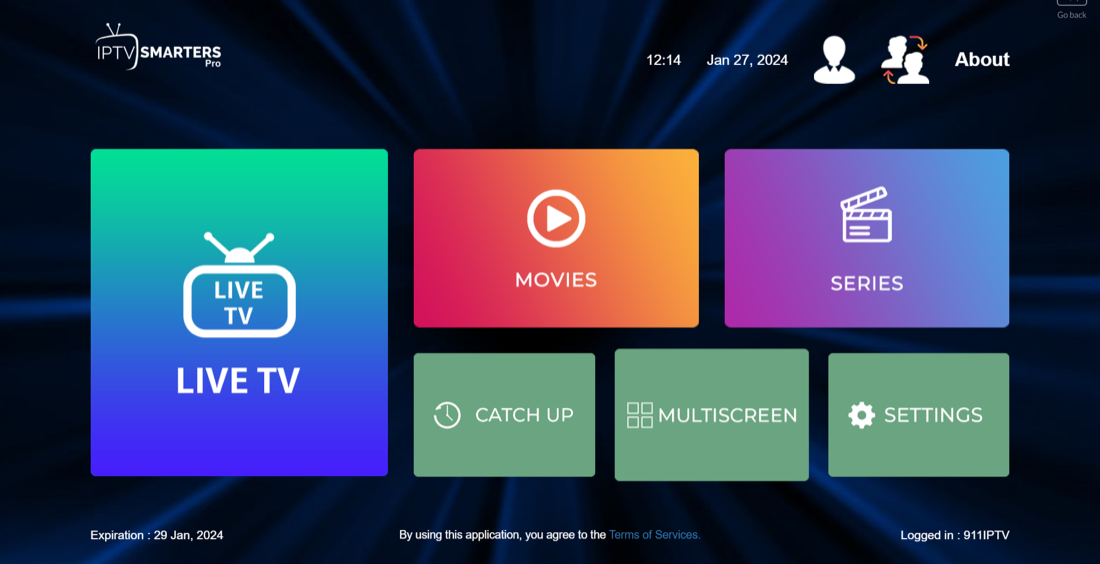
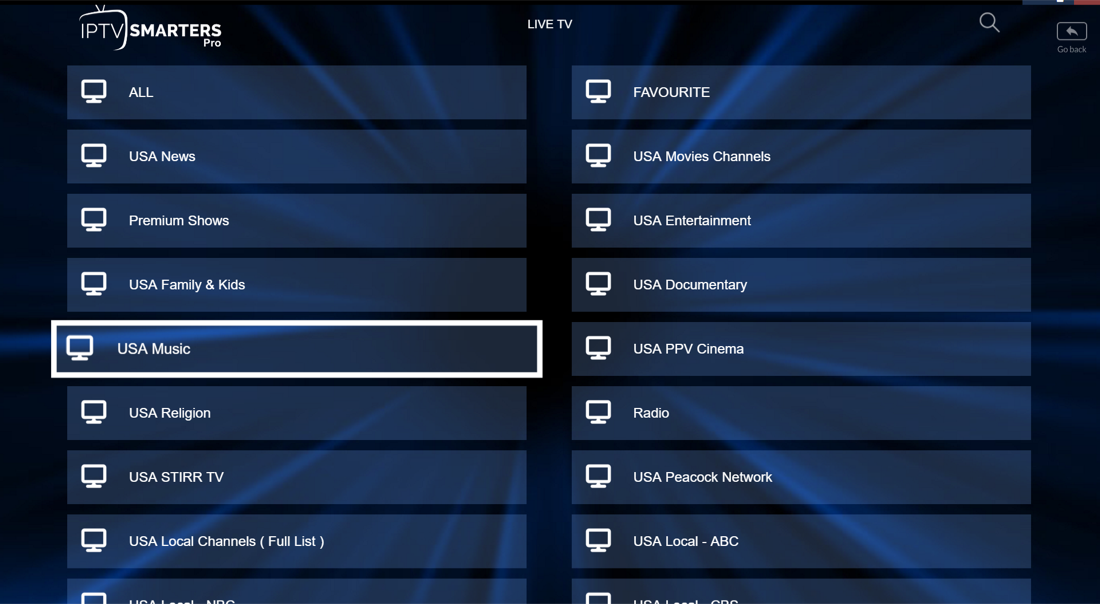
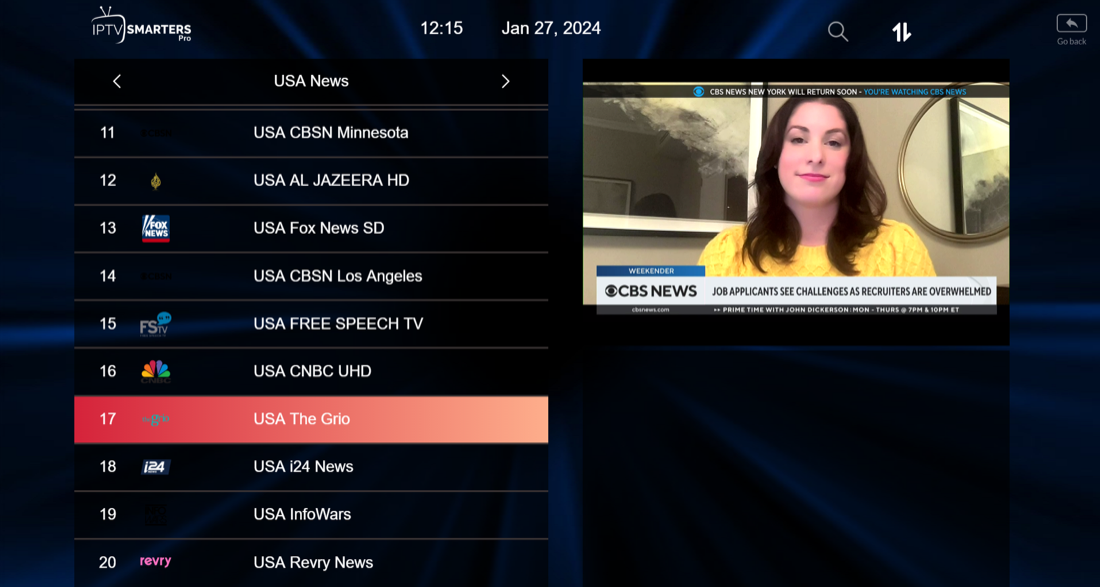
- Open Live TV, pick a channel group, then the channel.
- Tap the small preview twice to fill the screen.
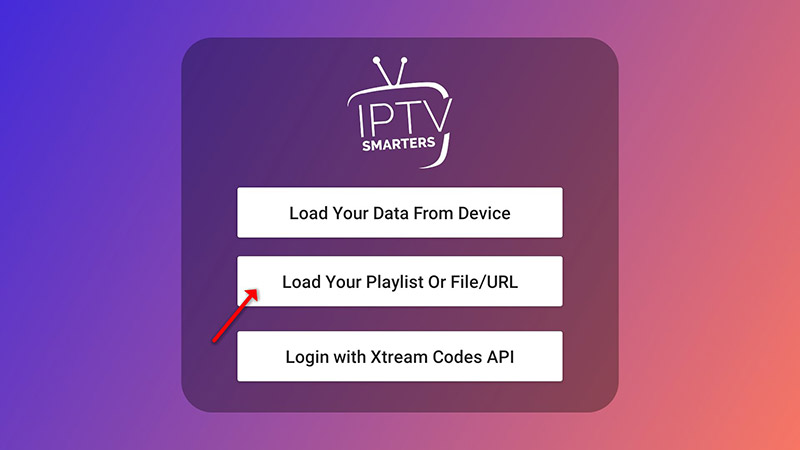
If the app asks for a playlist instead
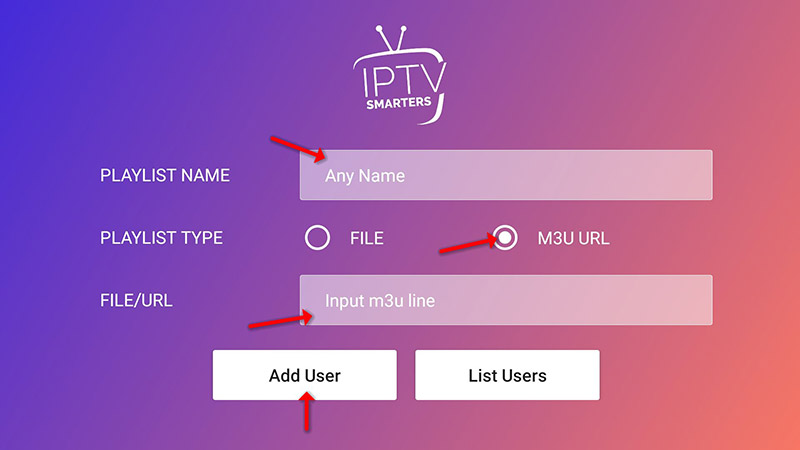
Choose Login with Playlist, name it, select M3U URL, and paste the playlist address from the same welcome message. Then open Live TV as above. Do not paste a playlist from another site. It is not your subscription, and we cannot repair it.
Amazon Fire TV and Fire Stick
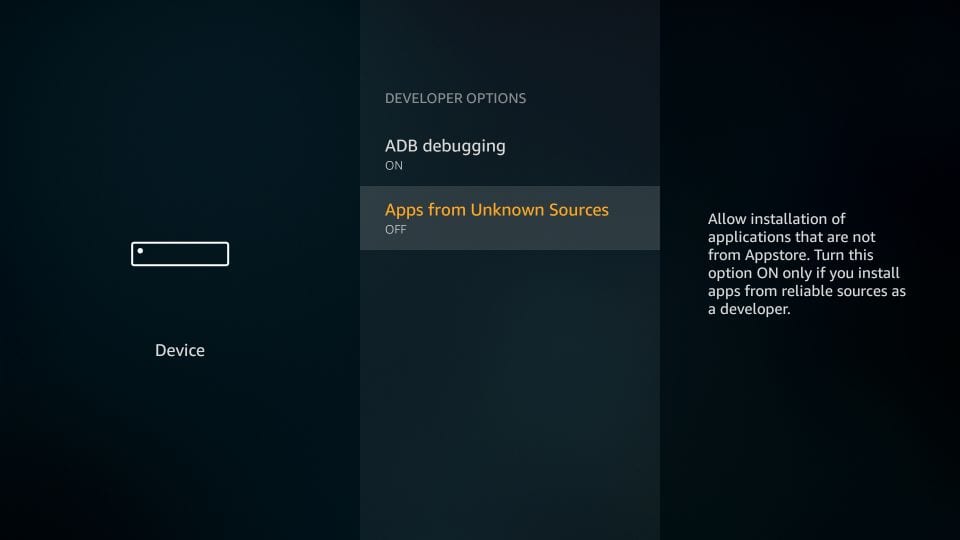
IPTV Smarters is on the Google Play Store and the Apple App Store. The Amazon store does not list it, so Fire TV needs the player installed with Downloader. Turn on apps from unknown sources first, or the install will stop.
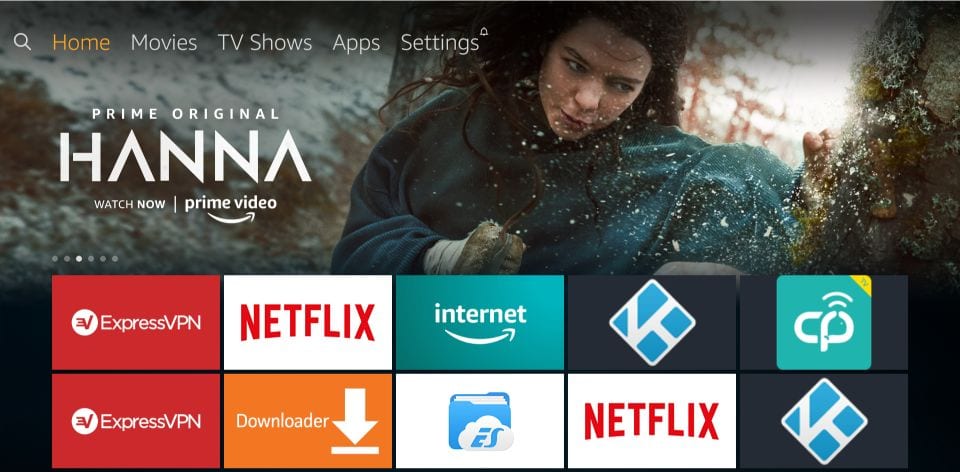
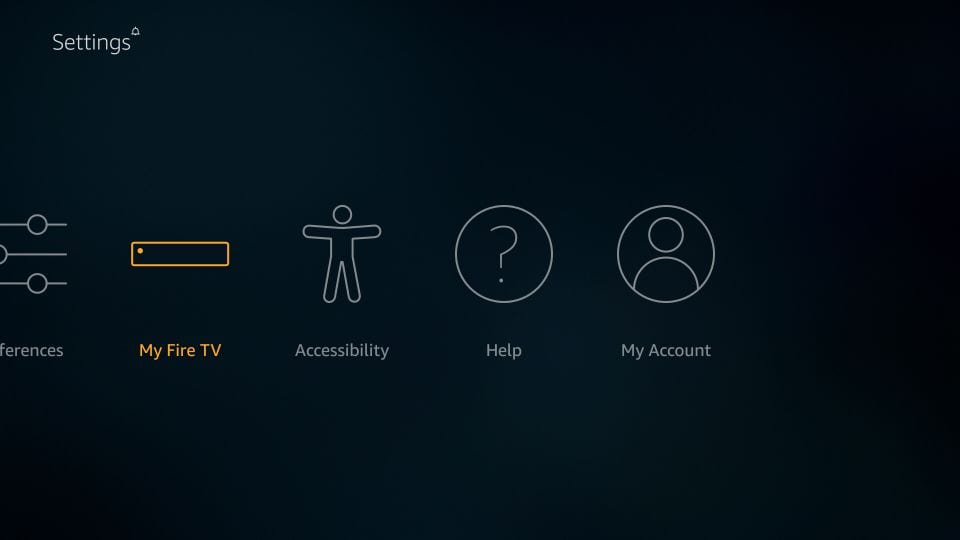
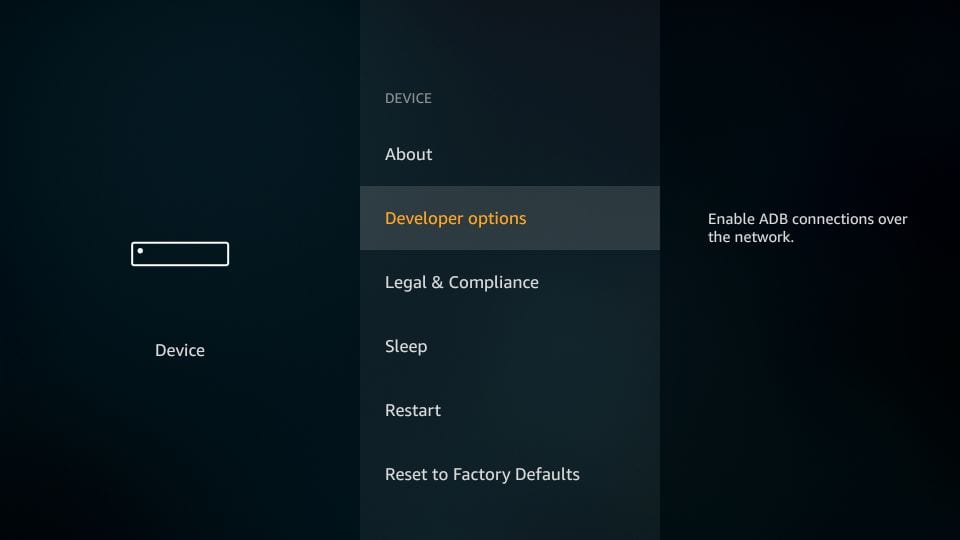
- From the Fire TV home screen, open Settings, then My Fire TV, then Developer options.
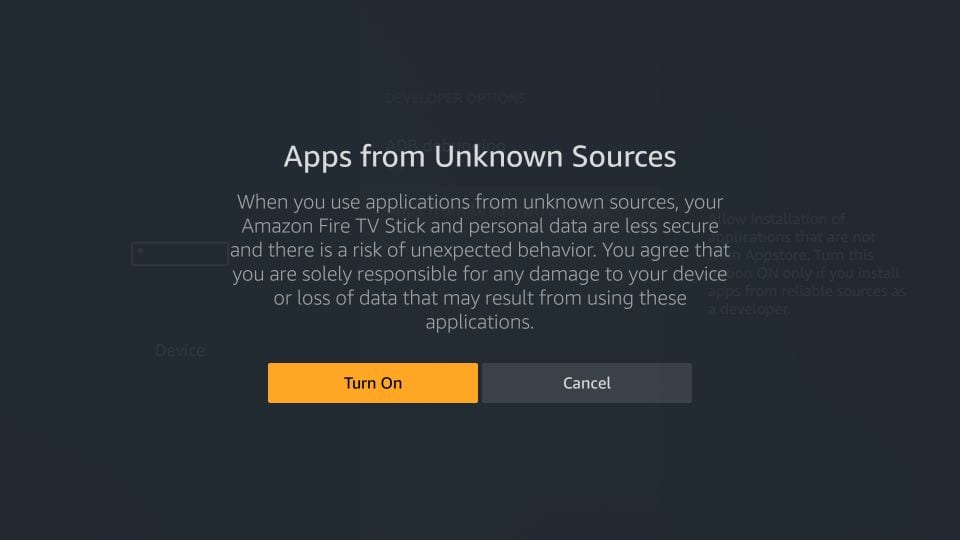
- If Apps from Unknown Sources is off, turn it on and confirm the warning.
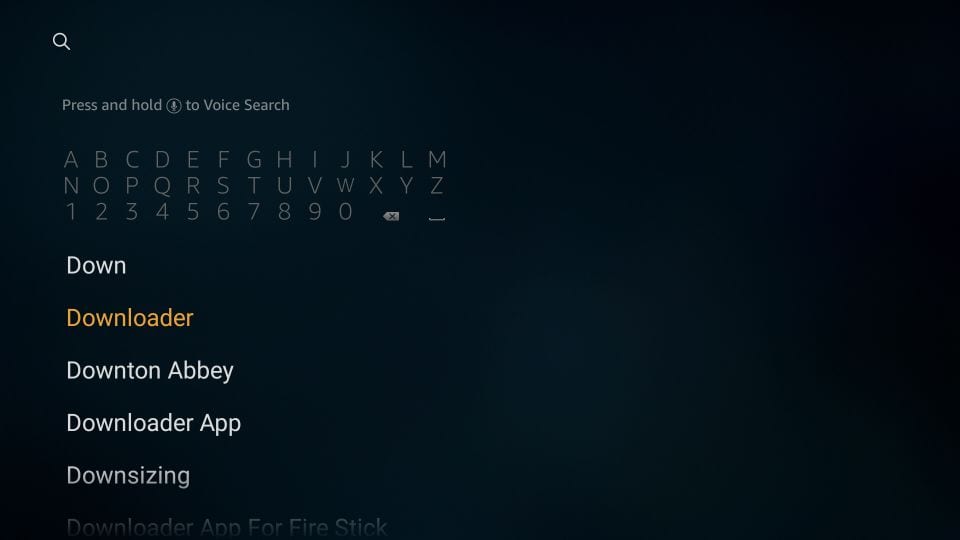
- Search the Amazon store for Downloader, then install it.
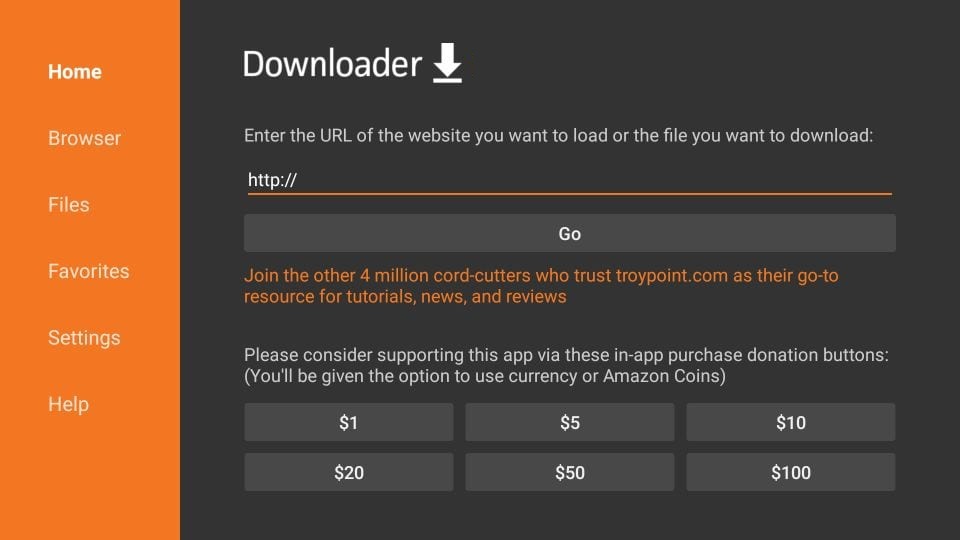
- Open Downloader and dismiss the first-run prompts until you see the URL box.
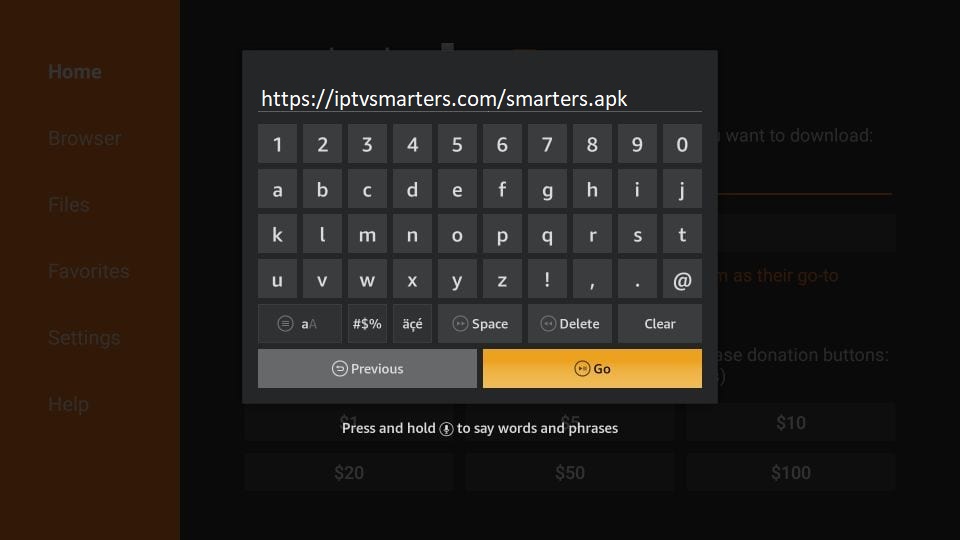
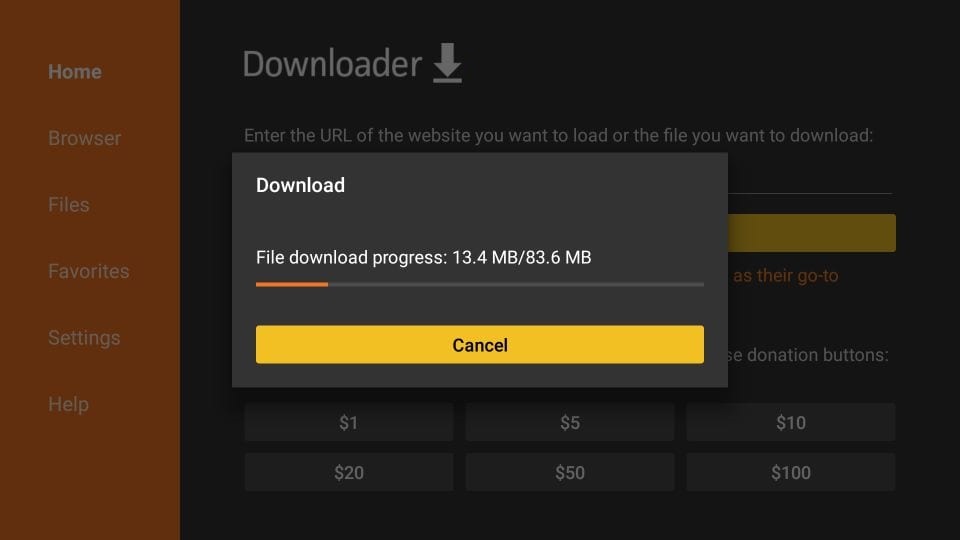
- Enter https://iptvsmarters.com/smarters.apk and choose Go.
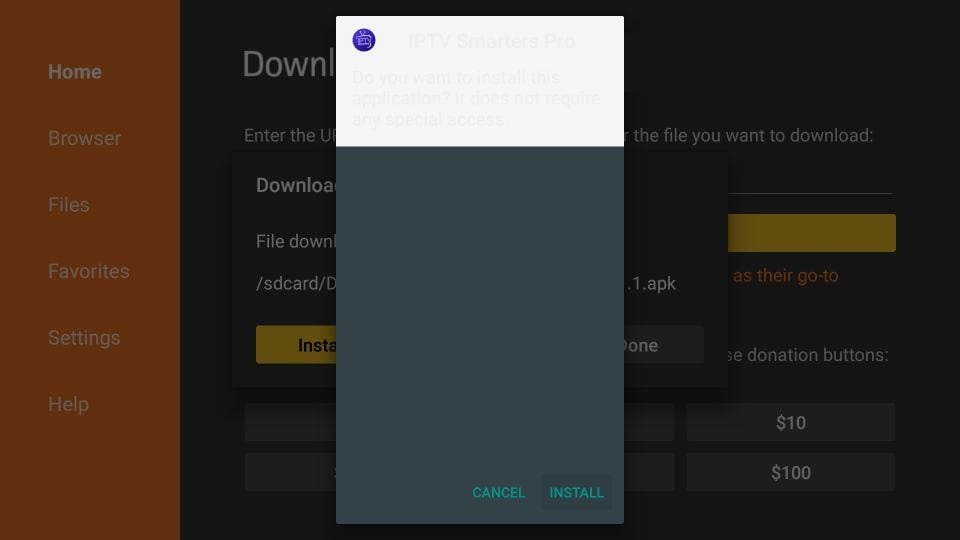
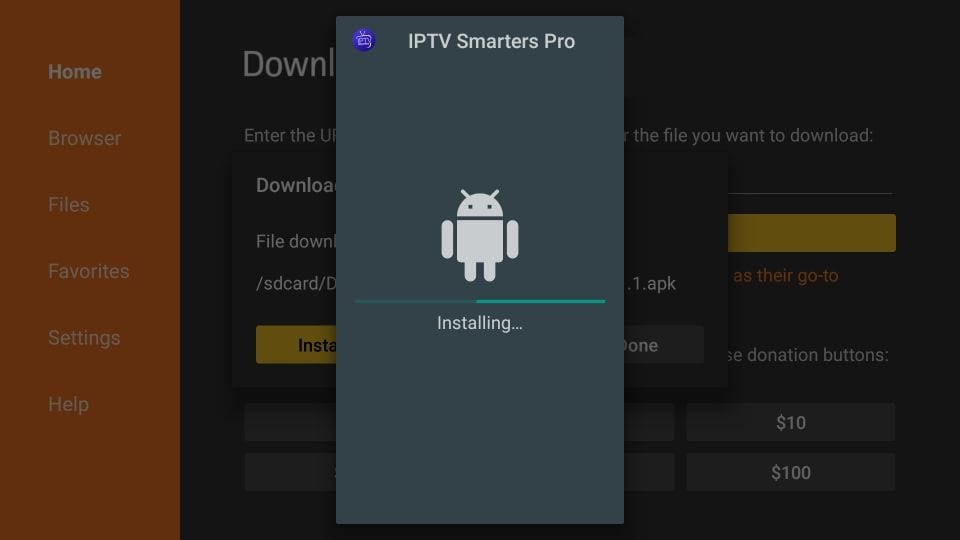
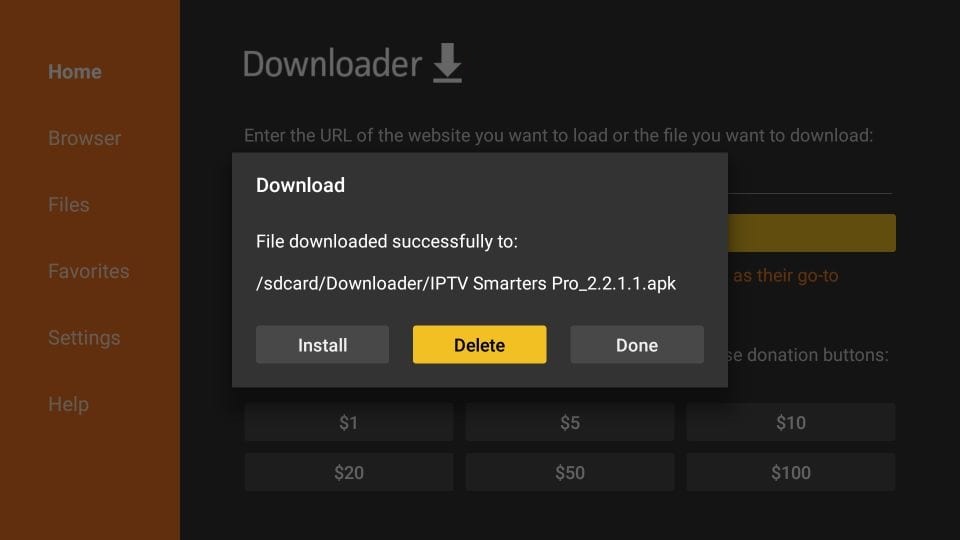
- When the download finishes, choose Install.
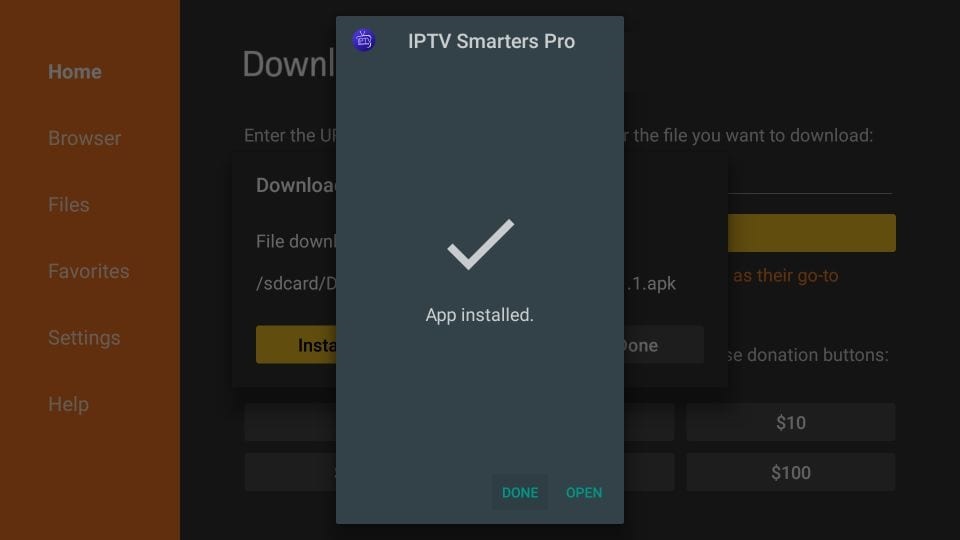
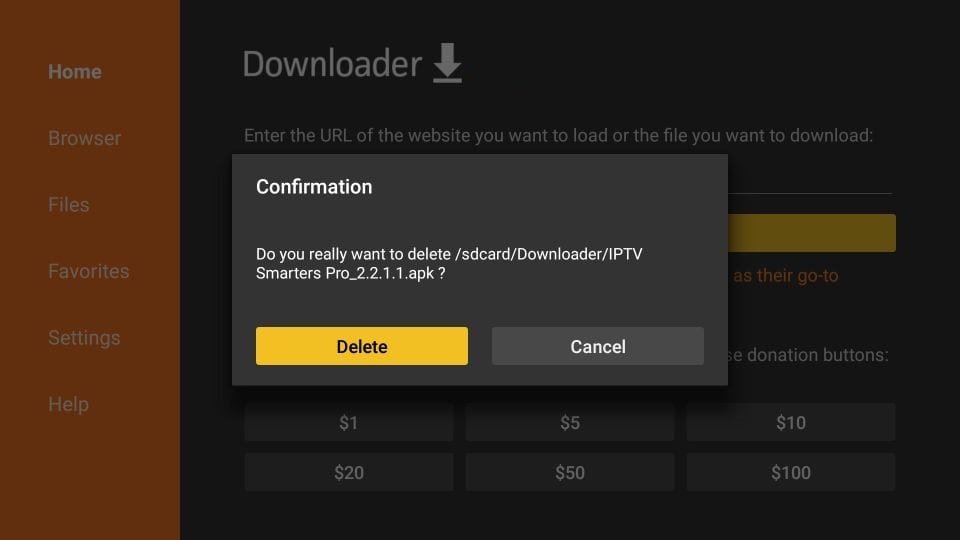
- Choose Done, then Delete, so the APK does not sit on the stick and waste space.
- Open IPTV Smarters and follow the Xtream Codes login above.
Samsung and LG Smart TV
Recent sets can install Smarters Pro from their own store. Older sets sometimes cannot. If the search comes back empty, stop and send us the model year before you buy a stick.
- Samsung: press Smart Hub. LG: press Home and open the LG Content Store.
- Search for Smarters Pro and install it.
- Sign in with the username, password, and portal URL from your TooViewers message.
A trailing space copied from a chat bubble is a common reason the app says the account is invalid. Re-type the server address if the first attempt fails.
Android TV
On Sony, TCL, Hisense, Nvidia Shield, and Chromecast with Google TV, open the Play Store and install IPTV Smarters if it is listed. If it is not, use the same publisher download as a phone: iptvsmarters.com/smarters.apk. Then use the Xtream Codes login. The remote is the only real difference between these sets.
Android phones and iPhone
- Android: install IPTV Smarters Pro from the publisher's download.
- iPhone and iPad: install Smarters Player Lite from the App Store.
- Open the app and enter the TooViewers login. Xtream Codes is the better of the two paths.
Mobile data can play a stream. A long HD session uses a large amount of data. Home Wi-Fi is the sensible default. Installing the same login on a television later does not, by itself, need a second connection.
Apple TV is a separate question from the iPhone app. Ask with the model before you rely on this section.
Windows and Mac
- Windows: install IPTV Smarters Pro from the Windows download.
- Mac: install it from the Mac download.
- Sign in with the subscription details we sent. Some desktop features of the paid player build are not included.
A laptop is also the easiest place to judge a trial before you involve the television. If Windows Defender asks about the app, continue only when the publisher is IPTV Smarters.
Formuler boxes
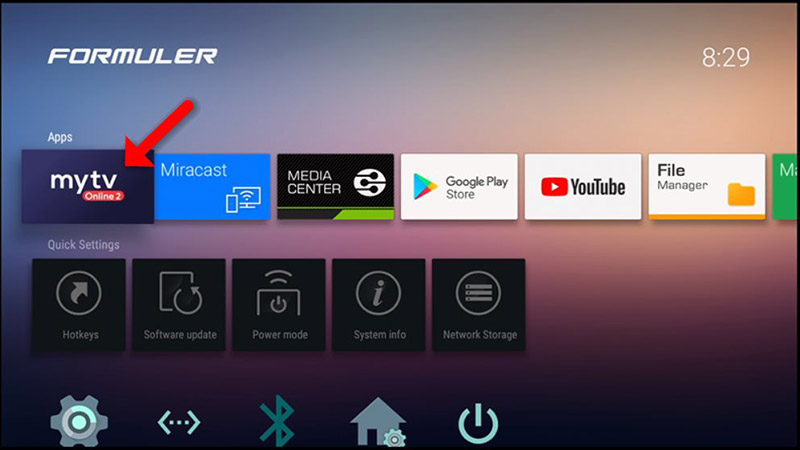
A Formuler signs in through MYTV Online, usually MYTV Online 2, rather than through IPTV Smarters. The same steps cover the other Formuler models. You do not need to buy a Formuler to use TooViewers. This is for people who already own one.
- Open MYTV Online 2. If it is missing, install it from the Play Store on the box.
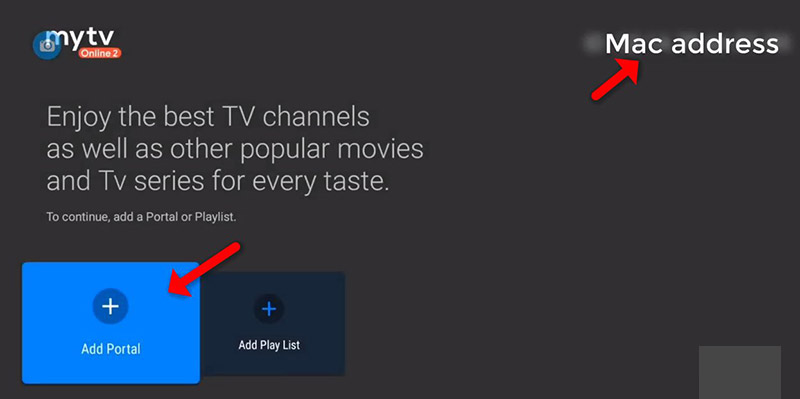
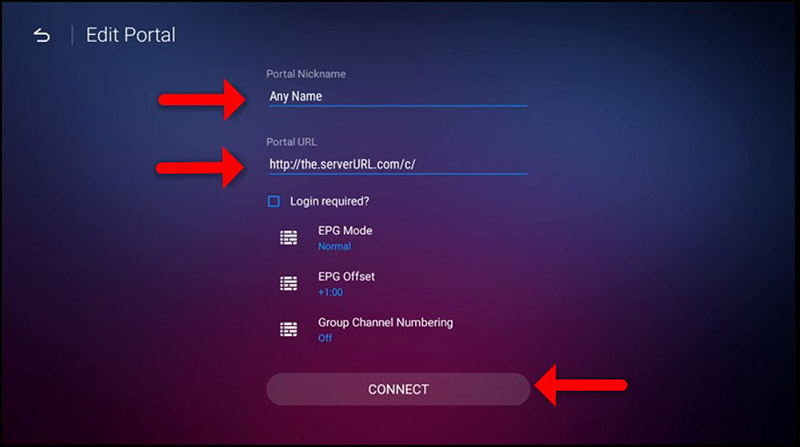
- Read the MAC address at the top right and send it to us. For a MAC-based setup, choose Add Portal.
- Enter a portal nickname, then the portal URL we send, and choose Connect.
- Wait for the channel list. The first load is the slow one.
Do not reuse a portal address from a previous provider. A leftover address is the usual reason a Formuler connects and then shows an empty guide. If your box is happier with an M3U playlist than a portal, say so and we will send that instead.
If the app rejects the login
- Check the server address character by character, including http or https as we wrote it.
- Re-enter the password rather than trusting an autofill from an old provider.
- Try one other channel. A single channel can fail while the account is fine.
- Restart the player once. A second and third restart rarely changes the result.
Then message the order chat with the device model and a photo of the error. The FAQ covers speed and connection limits if the picture starts and then stalls. Prices, if you still need a plan, are on the pricing page.
Have the device in front of you?
Message us with the model. We will name the player and stay in the chat while you enter the login.